
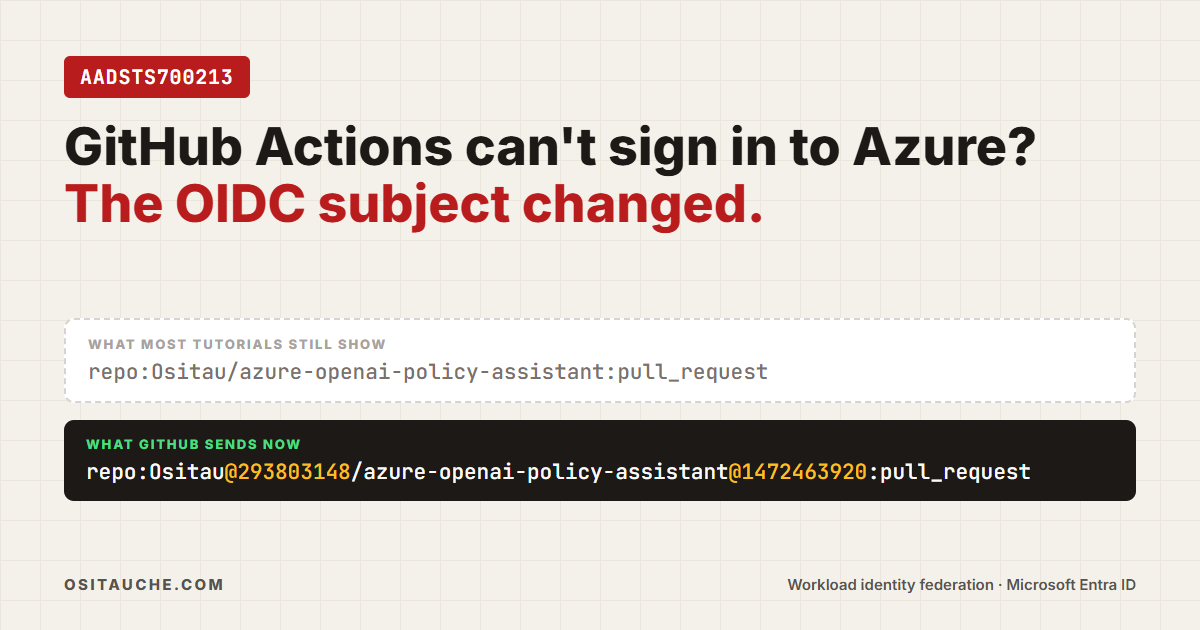
Summary: If azure/login fails with AADSTS700213: No matching federated identity record found, check the subject in the error message. GitHub now puts the owner’s and repository’s ID numbers in it (repo:owner@123/repo@456:pull_request), while many tutorials and older setups still use names only (repo:owner/repo:pull_request). Copy the subject from the error into your federated credential, wait a few minutes, and run the workflow again.
The symptom
I was setting up a GitHub Actions workflow to sign in to Azure with workload identity federation: no client secret, just a federated credential on an Entra ID app registration that trusts GitHub’s tokens. I’d done this before. I created the credential the way I always had, with the subject:
repo:Ositau/azure-openai-policy-assistant:pull_request
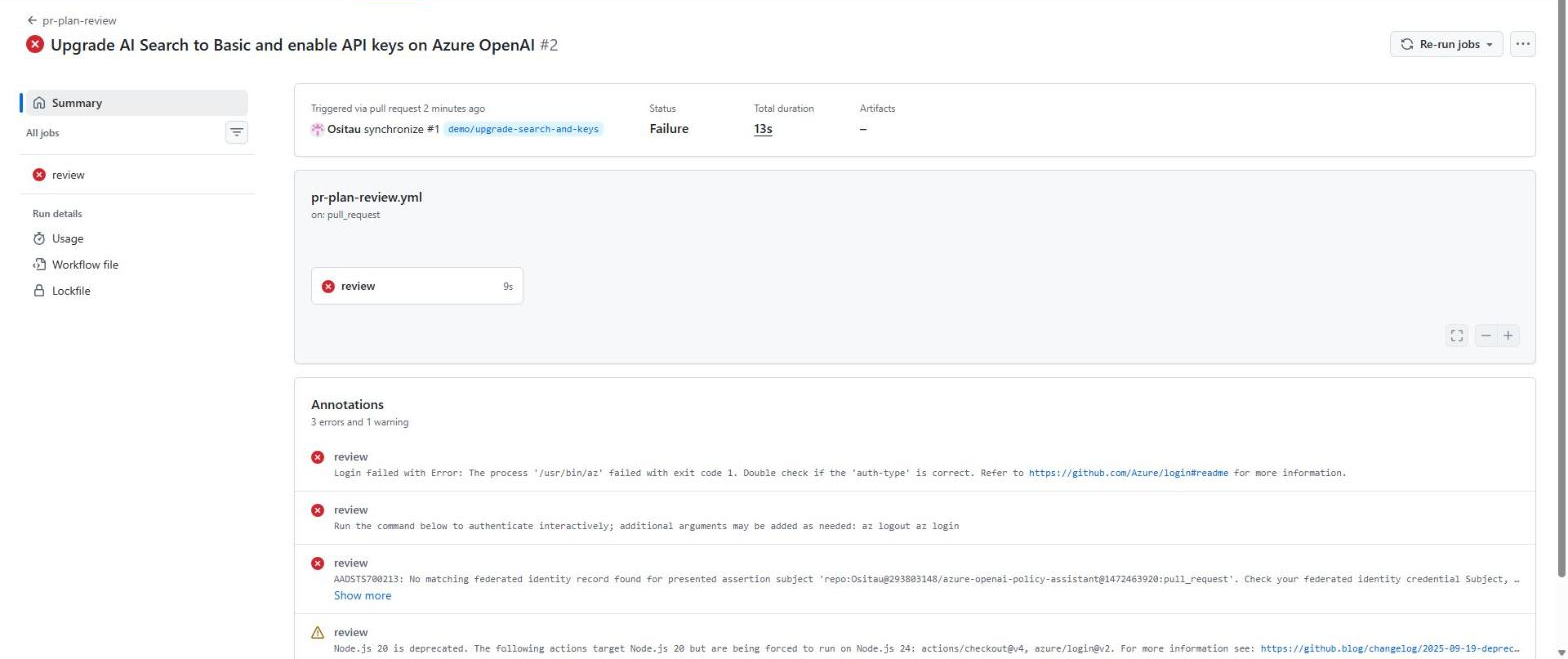
The workflow’s azure/login step failed straight away:
AADSTS700213: No matching federated identity record found for presented assertion subject
'repo:Ositau@293803148/azure-openai-policy-assistant@1472463920:pull_request'.
Check your federated identity credential Subject, Audience and Issuer against the presented assertion.
Why it happens
When a workflow asks for a sign-in token, GitHub puts a subject in it that describes who is asking: which repository, and which branch, environment or event. Entra ID compares that subject, character for character, with the subject on each federated credential. If none matches, you get AADSTS700213.
Look closely at the two values:
| Subject | |
|---|---|
| What my credential had | repo:Ositau/azure-openai-policy-assistant:pull_request |
| What GitHub sent | repo:Ositau@293803148/azure-openai-policy-assistant@1472463920:pull_request |
GitHub now adds the owner ID and the repository ID after each name. IDs never change, while names can (you can rename a repository or an account, and someone else can then take the old name). Including the IDs stops a token for a new repository with an old name from matching a credential meant for the original one.
The catch is that many guides, and my own older notes, still show the name-only format. And because the match is exact, “nearly right” fails just the same as “completely wrong”.
The fix
Copy the subject from the error message. Don’t rebuild it from documentation: the error tells you exactly what GitHub sent.
If you need the IDs before you have an error to copy from, GitHub’s API has them:
curl -s https://api.github.com/repos/<owner>/<repo> \
  | python -c "import json,sys; r=json.load(sys.stdin); print('owner id', r['owner']['id'], '| repo id', r['id'])"
Then update the credential. In the Azure portal: Microsoft Entra ID → App registrations → your app → Certificates & secrets → Federated credentials, edit the credential and replace the subject. Or with the Azure CLI:
az ad app federated-credential update --id <app-id> \
  --federated-credential-id <credential-name> \
  --parameters '{
    "name": "<credential-name>",
    "issuer": "https://token.actions.githubusercontent.com",
    "subject": "repo:<owner>@<owner id>/<repo>@<repo id>:pull_request",
    "audiences": ["api://AzureADTokenExchange"]
  }'
The last part of the subject depends on how the workflow runs:
| Workflow runs for | Subject ends with |
|---|---|
| A pull request | :pull_request |
| A push to a branch | :ref:refs/heads/main |
| A job with an environment | :environment:production |
| A tag | :ref:refs/tags/v1.0 |
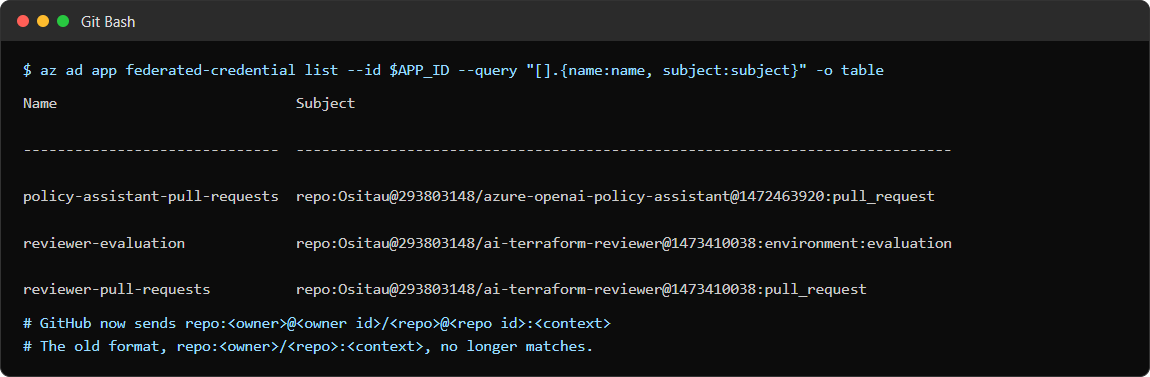
The ID part goes in front of all of them in the same way. Here are mine after the fix, one for pull requests on each of two repositories and one for an environment:
Wait a few minutes before you re-run
This caught me out a second time. I updated the credential and re-ran the workflow within a minute. It failed with exactly the same error, even though the subject now matched character for character. Entra ID takes a few minutes to apply a changed federated credential. The next run, a few minutes later, signed in first time.
So if you’ve fixed the subject and it still fails, check the timestamp in the error before changing anything else.
Checklist
- Read the subject in the
AADSTS700213error. That’s what GitHub sent. - Compare it with your federated credential’s subject. Look for the
@<id>parts. - Update the credential with the exact subject from the error.
- Check the issuer is
https://token.actions.githubusercontent.comand the audience isapi://AzureADTokenExchange. - Wait a few minutes, then re-run.
- If the workflow runs on a fork’s pull request into someone else’s repository, it won’t get a token at all. That’s a GitHub safety rule, not a subject problem.
I hit this while building an AI reviewer for Terraform pull requests, which signs in to Azure OpenAI this way with no keys. The full setup is in that guide.