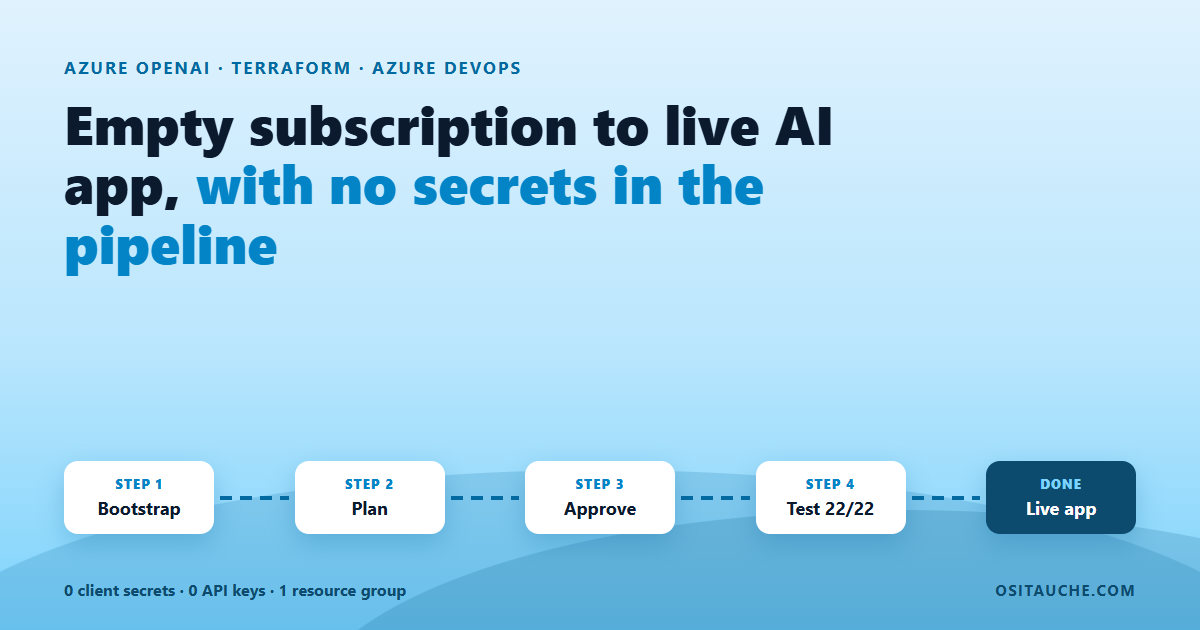
Summary: I built a policy assistant on Azure OpenAI and deployed every part of it through Azure DevOps pipelines with Terraform. Nothing was clicked together in the portal. The pipeline has no password or secret, can only touch one resource group, and needs a person’s approval before it changes anything. This post walks through how it fits together, the order things have to happen in, and the problems I hit on the way.
What I built
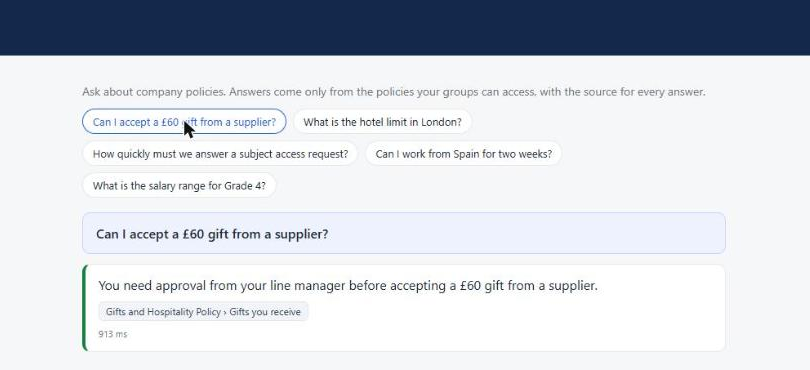
A chat assistant for a fictional finance firm that answers staff questions about company policy, with the source for every answer. HR-only policies are never shown to non-HR staff. (How that works is in part three.)
Under the hood:
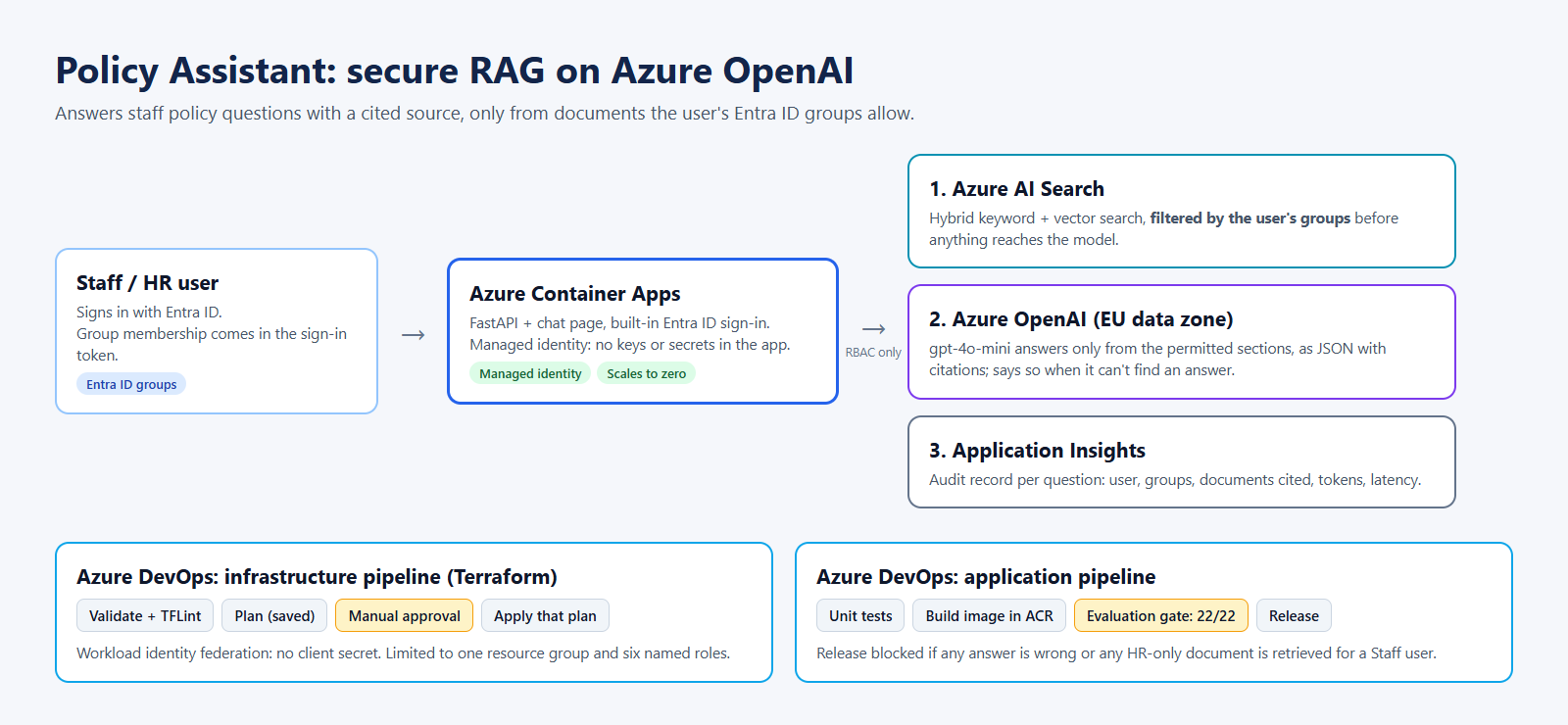
- Azure Container Apps runs the web app, with Microsoft Entra ID sign-in switched on in front of it.
- Azure AI Search holds the policy documents, split into sections, and filters them by the user’s groups.
- Azure OpenAI (gpt-4o-mini, in the EU data zone) writes the answers.
- Application Insights keeps an audit log of every question.
- Azure DevOps runs two pipelines: one for the infrastructure, one for the app.
The goal: nothing secret, nothing manual, nothing more than needed
I set myself three rules, because they’re the rules a regulated client’s security team would set:
- No secrets in the pipeline. No client secret, no API key, nothing to leak or rotate.
- No portal clicking. Everything is Terraform, so it can be reviewed, repeated and torn down.
- Least privilege. The pipeline gets the smallest set of permissions that still lets it do its job.
Two layers, because some things shouldn’t be the pipeline’s job
The tricky part of rule 3 is that some resources need far more power to create than the app ever needs to run. Creating Entra ID groups and app registrations, for example, needs directory permissions (Microsoft Graph). Giving those to a pipeline would let it change your whole directory.
So the Terraform is split into two layers:
| Layer | Who runs it | What it creates |
|---|---|---|
| Bootstrap | A person, once, with admin rights | Storage for Terraform’s state, the Entra ID groups and sign-in app, the pipeline’s identity, an empty resource group, Key Vault, container registry, and the pipeline’s permissions |
| Main | The pipeline, every time | Azure OpenAI, AI Search, Container Apps, monitoring, the app’s identity and its permissions |
The pipeline’s identity ends up with:
- Contributor on one resource group, so it can create resources there and nowhere else;
- permission to give out six named roles in that resource group, and no others (part two explains how);
- access to the Terraform state file;
- no directory permissions at all.
Identities instead of secrets
There are three places where something needs to prove who it is, and none of them uses a stored password the pipeline can see:
- The pipeline signs in to Azure with workload identity federation. Azure DevOps hands it a short-lived token for each run, and Entra ID trusts that token because the bootstrap layer set up the trust. There’s no client secret anywhere.
- The app talks to Azure OpenAI and AI Search with a managed identity, an identity Azure manages for the app. Key-based access is switched off on both services, so there are no API keys to steal.
- The app’s sign-in page does need one secret, for its Entra ID app registration. The bootstrap layer creates it and stores it in Key Vault. The Container App reads it from Key Vault with its managed identity, so the secret never appears in the pipeline or in the main Terraform state.
The order things have to happen in
Building this from nothing has two chicken-and-egg problems:
1. The app needs an image before it can exist. A Container App can’t be created without a container image, but the app pipeline that builds images needs the Container App to deploy to. Fix: the infrastructure pipeline checks whether the registry has an image yet, and if not, builds a first one before running Terraform. After that, the app pipeline owns releases.
2. Sign-in needs the app’s web address, which only exists after the app does. The Entra ID sign-in app must know the exact address to send users back to after they sign in. That address is only known once Container Apps has created the environment. Fix: after the first infrastructure run, re-run the bootstrap layer once with that address. One extra step, done once.
So the full order is:
- Create the Azure DevOps project and start the service connection (it gives you the details the bootstrap needs).
- Apply the bootstrap layer.
- Finish the service connection, then create the variable group, environments and pipelines.
- Run the infrastructure pipeline: validate, plan, approve, apply.
- Re-apply the bootstrap with the app’s sign-in address.
- Run the app pipeline: test, build, evaluate, release.
The infrastructure pipeline
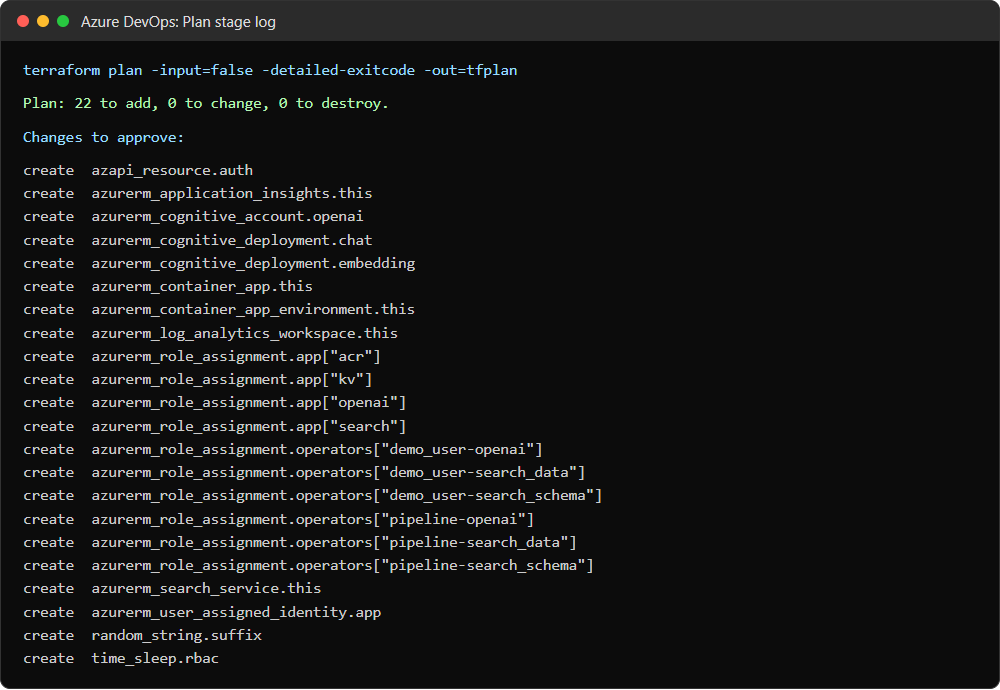
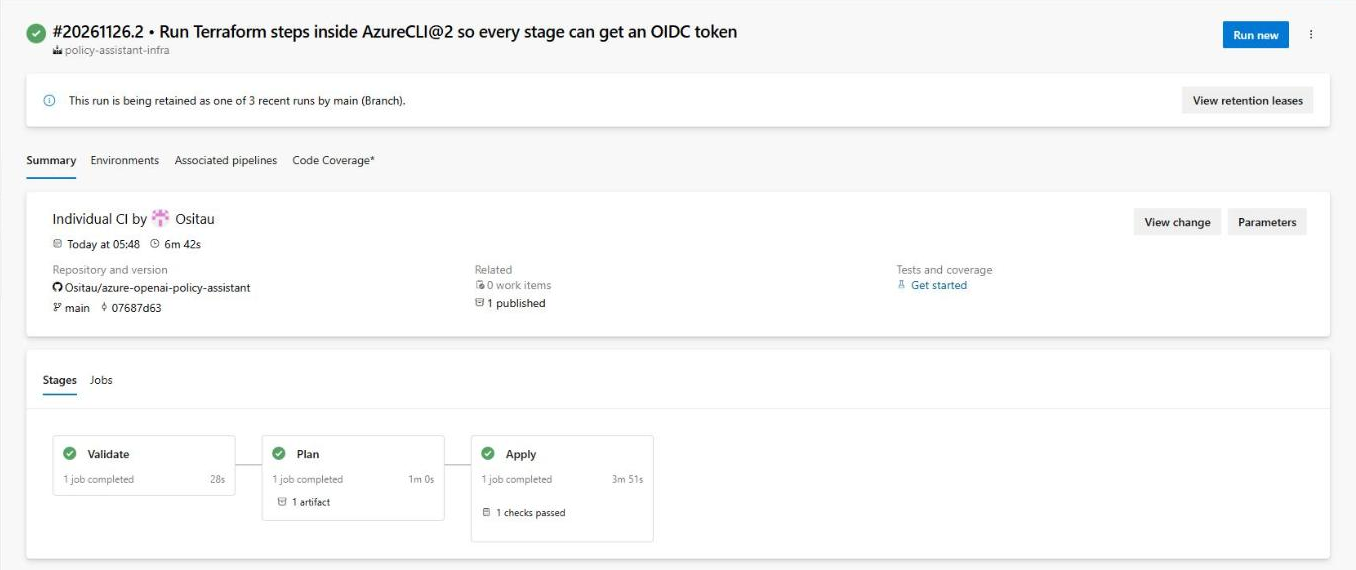
The infrastructure pipeline checks the code, then makes a plan and waits. A person reads the plan and approves it, and only then does the Apply stage run, using exactly the plan that was approved.
On the first run, the plan was 22 resources to create and nothing to change or destroy:
The app pipeline
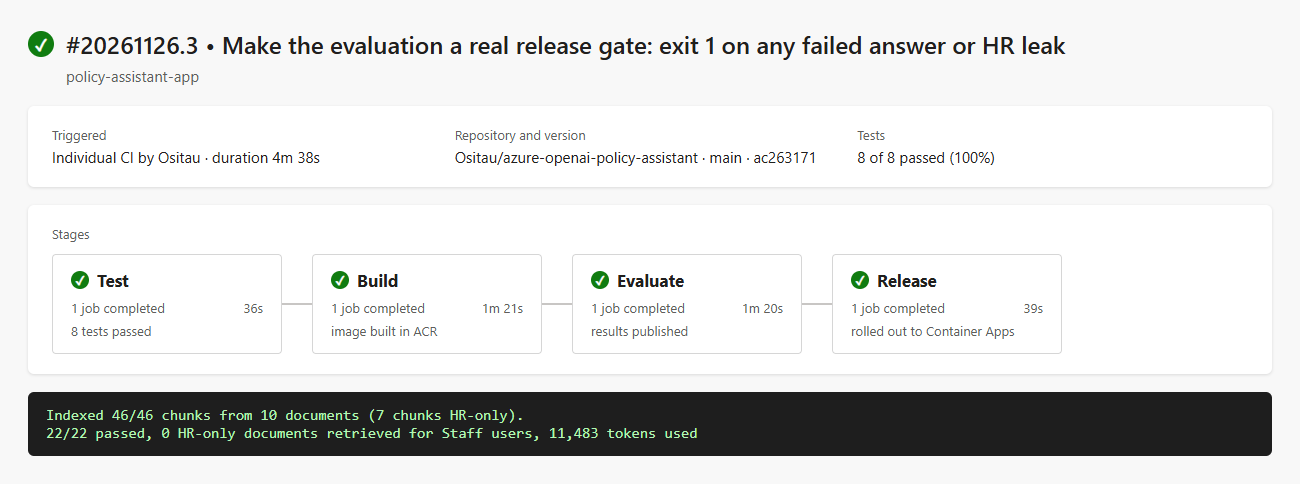
The app pipeline runs unit tests, builds the image, then rebuilds the search index and runs 22 test questions against the real services. Only if they all pass does it release (part four covers the tests).
What broke along the way
Nothing worked first time, and each fix became its own post:
- The pipeline couldn’t get a sign-in token in the Apply stage. Azure DevOps only gives a stage a token if a task in that stage names the service connection. Plan only worked by coincidence. (Part one.)
- Azure rejected the pipeline’s limited role permission as “invalid”, because I’d passed full role paths where it wanted plain IDs. (Part two.)
- The evaluation didn’t actually block releases. It reported failures but always finished successfully, so the pipeline would have released anyway. (Part four.)
- A small one: the example question buttons on the chat page were blank, because a general “all buttons have white text” style also applied to them. The app pipeline shipped the fix in a few minutes, tests and all.
None of these showed up in planning. They showed up by running the whole thing end to end, which is the best argument for doing exactly that before calling something done.
What it costs
While idle, roughly 15p a day, mostly the container registry. Everything else either has a free tier or costs nothing when unused:
- AI Search is on the free tier.
- The Container App scales to zero when nobody is using it.
- Azure OpenAI is pay per use: the full 22-question test run costs well under a penny.
- Log Analytics has a daily cap.
The trade-off of scaling to zero: the first question after a quiet spell takes a few seconds while the app starts.
If you’re building something similar
- Split the setup into two layers. Keep directory-level and permission-level setup in a small layer a person runs once, so the pipeline never needs that power.
- Use identities, not secrets: workload identity federation for the pipeline, managed identity for the app, and Key Vault for the one secret you can’t avoid.
- Approve plans, then apply exactly what was approved.
- Expect chicken-and-egg problems when building from nothing, and design a clear order for them.
- Run the whole thing end to end early. That’s where the real problems were.
The full code (Terraform, both pipelines, the app and the tests) is on GitHub: Ositau/azure-openai-policy-assistant.