
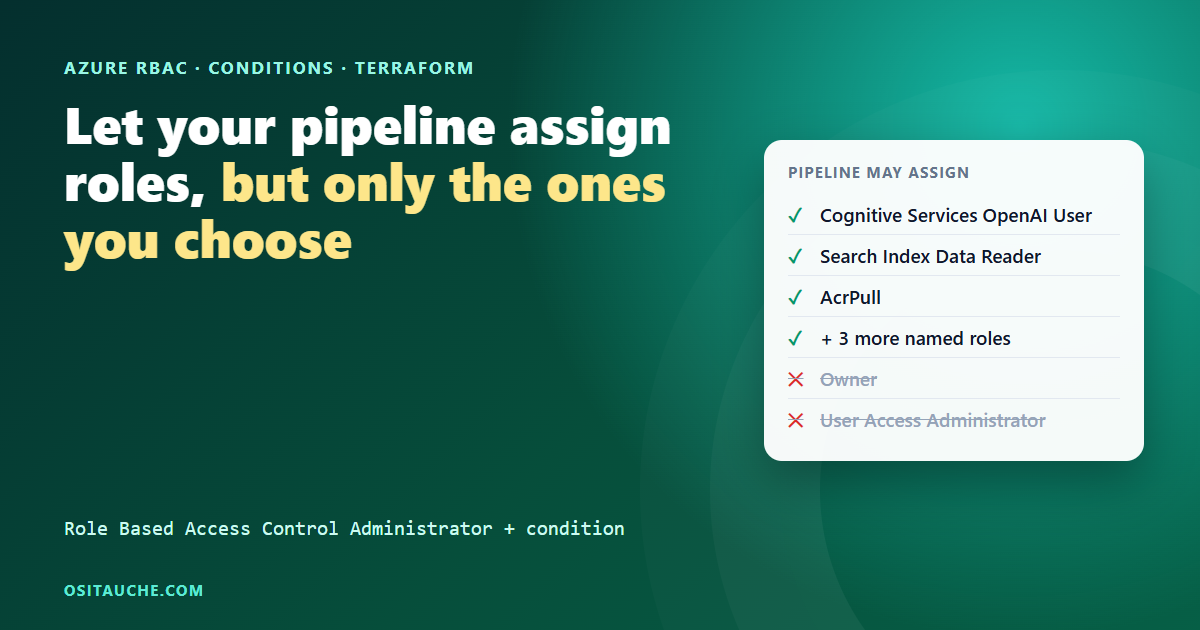
Summary: Your pipeline often needs to give permissions to the things it deploys. Instead of making it Owner, give it the Role Based Access Control Administrator role on one resource group, plus a condition: a short rule listing the only roles it’s allowed to hand out. In Terraform, that list must contain plain role IDs (GUIDs). If you pass the full role paths that Terraform gives you by default, Azure rejects it with The given role assignment condition is invalid.
The problem
Well-built Azure apps don’t use passwords or API keys to talk to other Azure services. Instead, the app gets its own identity (a managed identity), and you give that identity permission to do specific things. Each permission is a role assignment: “this app may call Azure OpenAI”, “this app may read the search index”, “this app may download images from the container registry”.
That’s great for security, but it means your infrastructure code doesn’t just create resources. It also has to create those role assignments.
In my Azure OpenAI demo, the Terraform pipeline creates ten of them. And that’s where pipelines usually end up over-privileged:
- Contributor, the usual pipeline role, can create almost anything, but it isn’t allowed to give out permissions.
- So people make the pipeline Owner or User Access Administrator. Now, if the pipeline is ever misused (a stolen credential, a bad change that slips through review), it can give anyone any role, including Owner, on everything it can reach.
What I wanted: the pipeline can assign the six roles the app needs, in one resource group, and nothing else.
The pattern: RBAC Administrator plus a condition
Azure has a built-in role for exactly this job, Role Based Access Control Administrator. It can manage role assignments, but it can’t create or change resources. On its own it could still hand out any role, including Owner. What makes it safe is a condition: an extra rule attached to the role assignment that says which roles it may hand out. (Microsoft calls this attribute-based access control, or ABAC.)
The pipeline identity gets two role assignments on the app’s resource group:
| Role | Condition | Why |
|---|---|---|
| Contributor | none | Create and manage the resources |
| Role Based Access Control Administrator | Only these six roles | Create the app’s role assignments |
The six roles the app needs:
- Cognitive Services OpenAI User
- Search Index Data Reader
- Search Index Data Contributor
- Search Service Contributor
- AcrPull
- Key Vault Secrets User
No Owner, no User Access Administrator, no Contributor, and nothing outside this resource group.
The Terraform
This lives in a small “bootstrap” layer that a person applies once with admin rights; the pipeline then runs everything else.
data "azurerm_role_definition" "assignable" {
  for_each = toset([
    "Cognitive Services OpenAI User",
    "Search Index Data Reader",
    "Search Index Data Contributor",
    "Search Service Contributor",
    "AcrPull",
    "Key Vault Secrets User",
  ])
  name  = each.value
  scope = data.azurerm_subscription.current.id
}

locals {
  assignable_ids = join(", ", [for r in data.azurerm_role_definition.assignable : basename(r.role_definition_id)])

  rbac_condition = <<-EOT
    (
     (
      !(ActionMatches{'Microsoft.Authorization/roleAssignments/write'})
     )
     OR
     (
      @Request[Microsoft.Authorization/roleAssignments:RoleDefinitionId] ForAnyOfAnyValues:GuidEquals {${local.assignable_ids}}
     )
    )
    AND
    (
     (
      !(ActionMatches{'Microsoft.Authorization/roleAssignments/delete'})
     )
     OR
     (
      @Resource[Microsoft.Authorization/roleAssignments:RoleDefinitionId] ForAnyOfAnyValues:GuidEquals {${local.assignable_ids}}
     )
    )
  EOT
}

resource "azurerm_role_assignment" "pipeline_contributor" {
  scope                = azurerm_resource_group.app.id
  role_definition_name = "Contributor"
  principal_id         = azuread_service_principal.pipeline.object_id
  principal_type       = "ServicePrincipal"
}

resource "azurerm_role_assignment" "pipeline_rbac_admin" {
  scope                = azurerm_resource_group.app.id
  role_definition_name = "Role Based Access Control Administrator"
  principal_id         = azuread_service_principal.pipeline.object_id
  principal_type       = "ServicePrincipal"
  condition            = local.rbac_condition
  condition_version    = "2.0"
}
Reading the condition
A condition is checked on every action the role allows. Each half reads “if it’s not this action, allow it; if it is, check the role”:
- Write half: creating a role assignment is only allowed when the role in the request (
@Request[...]) is one of the listed GUIDs. - Delete half: removing a role assignment is only allowed when the role on the existing assignment (
@Resource[...]) is one of them. That letsterraform destroyclean up its own assignments, but the pipeline can’t remove anything else, such as your own access.
You can build a similar rule in the Azure portal when you assign this role and choose to limit which roles the user can assign. Writing it in Terraform means it’s reviewed and versioned like the rest of your code.
The gotcha: role IDs must be bare GUIDs
My first version used the data source’s ID directly:
assignable_ids = join(", ", [for r in data.azurerm_role_definition.assignable : r.role_definition_id])
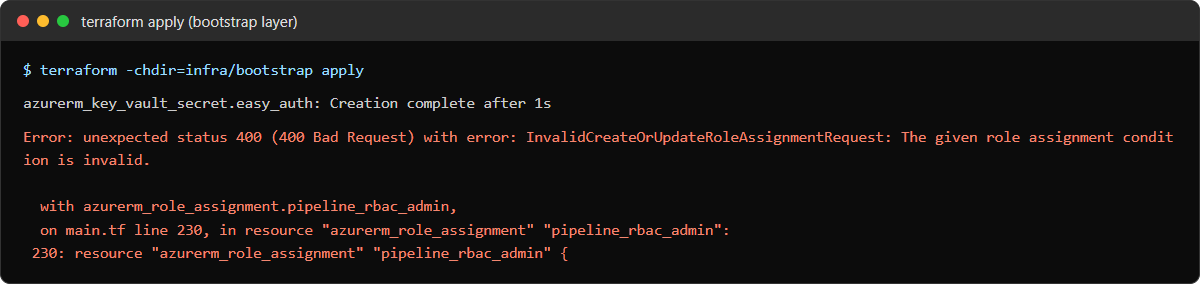
The apply created everything else and then failed on this one resource:
Error: unexpected status 400 (400 Bad Request) with error:
InvalidCreateOrUpdateRoleAssignmentRequest: The given role assignment condition is invalid.

  with azurerm_role_assignment.pipeline_rbac_admin,
  on main.tf line 230, in resource "azurerm_role_assignment" "pipeline_rbac_admin":
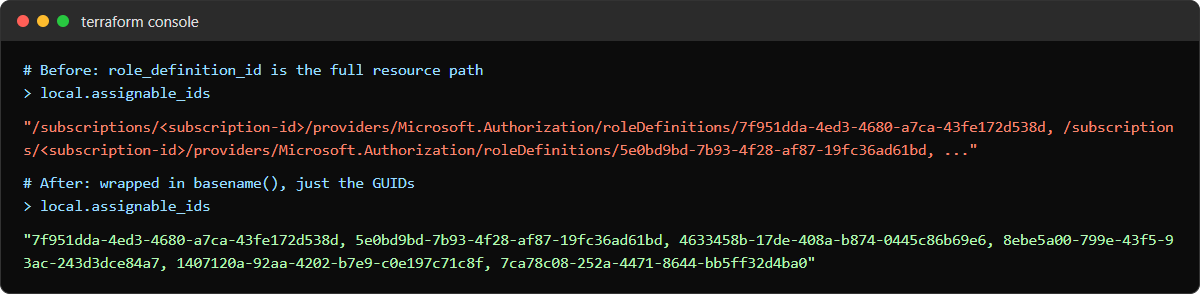
The error doesn’t say what’s wrong. Printing the value in terraform console did:
> local.assignable_ids
"/subscriptions/<subscription-id>/providers/Microsoft.Authorization/roleDefinitions/7f951dda-4ed3-4680-a7ca-43fe172d538d, ..."
With scope set, role_definition_id is the full resource path of the role definition. GuidEquals compares GUIDs, so the condition was asking “is the role equal to /subscriptions/.../7f951dda-...“, which isn’t a GUID, and Azure rejects the whole condition.
The fix is one function call, basename(), which keeps the part after the last /:
assignable_ids = join(", ", [for r in data.azurerm_role_definition.assignable : basename(r.role_definition_id)])
> local.assignable_ids
"7f951dda-4ed3-4680-a7ca-43fe172d538d, 5e0bd9bd-7b93-4f28-af87-19fc36ad61bd, 4633458b-17de-408a-b874-0445c86b69e6, ..."
The next apply succeeded. Built-in role GUIDs are the same in every tenant, so you could also hard-code them, but looking them up by name keeps the code readable and catches typos at plan time.
Did it work?
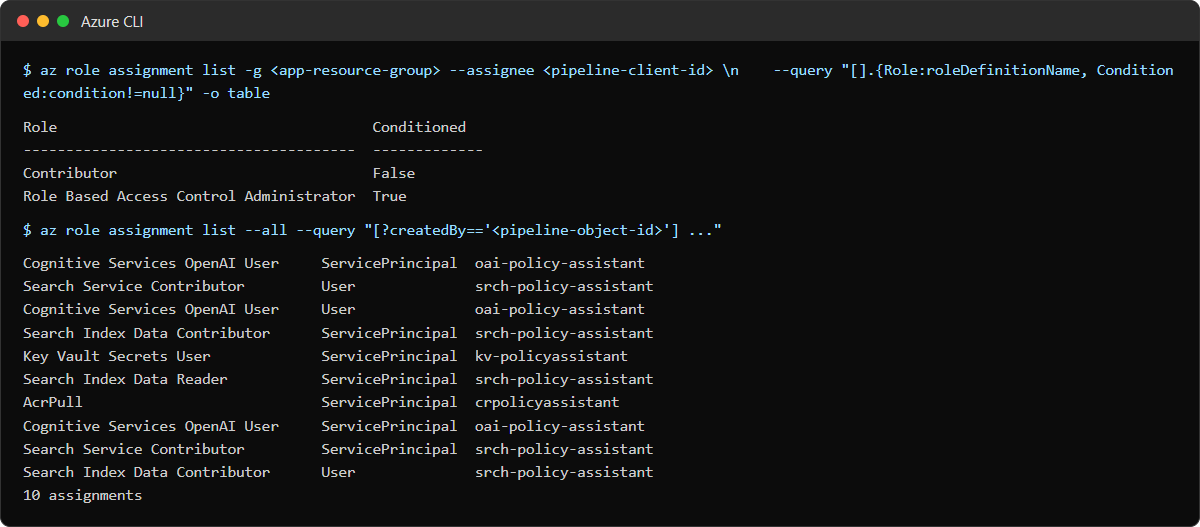
After the bootstrap, the pipeline identity has exactly two role assignments on the app’s resource group, and only the RBAC one carries a condition:
$ az role assignment list -g <app-resource-group> --assignee <pipeline-client-id> \
    --query "[].{role:roleDefinitionName, conditioned:condition!=null}" -o table

Role                                     Conditioned
---------------------------------------  -----------
Contributor                              False
Role Based Access Control Administrator  True
The pipeline then created all ten role assignments the app needed (four for the app itself, and three each for the pipeline and for me, so we can load and test the search index) without any extra permissions. Azure records who created each role assignment, so you can list exactly what the pipeline handed out:
$ az role assignment list --all \
    --query "[?createdBy=='<pipeline-object-id>'].{Role:roleDefinitionName, Type:principalType, Scope:scope}"

Cognitive Services OpenAI User     ServicePrincipal  oai-policy-assistant
Search Service Contributor         User              srch-policy-assistant
Cognitive Services OpenAI User     User              oai-policy-assistant
Search Index Data Contributor      ServicePrincipal  srch-policy-assistant
Key Vault Secrets User             ServicePrincipal  kv-policyassistant
Search Index Data Reader           ServicePrincipal  srch-policy-assistant
AcrPull                            ServicePrincipal  crpolicyassistant
Cognitive Services OpenAI User     ServicePrincipal  oai-policy-assistant
Search Service Contributor         ServicePrincipal  srch-policy-assistant
Search Index Data Contributor      User              srch-policy-assistant
10 assignments
Every one of them is on the allowed list. That’s also a handy audit check to run now and then.
To check the negative yourself, try to assign a role outside the list as the pipeline identity, for example from a throwaway pipeline step:
az role assignment create --assignee <some-object-id> --role "Owner" \
  --scope /subscriptions/<sub>/resourceGroups/<app-resource-group>
It should fail with an authorization error, because the condition doesn’t allow Owner.
Worth remembering
- Don’t make a pipeline Owner or User Access Administrator just so it can create role assignments. Use Role Based Access Control Administrator with a condition, scoped to the resource group it deploys.
- Cover both write and delete in the condition, so the pipeline can clean up its own assignments but can’t remove anyone else’s.
GuidEqualsneeds bare GUIDs. In Terraform, wraprole_definition_idinbasename().- When Azure says a condition is invalid, print the exact string you’re sending. The problem is usually the values, not the syntax.
This is part of a series on a secure Azure OpenAI assistant deployed through Azure DevOps. The previous post covers the OIDC “no explicit reference to service connection” error. The full code is on GitHub: Ositau/azure-openai-policy-assistant.