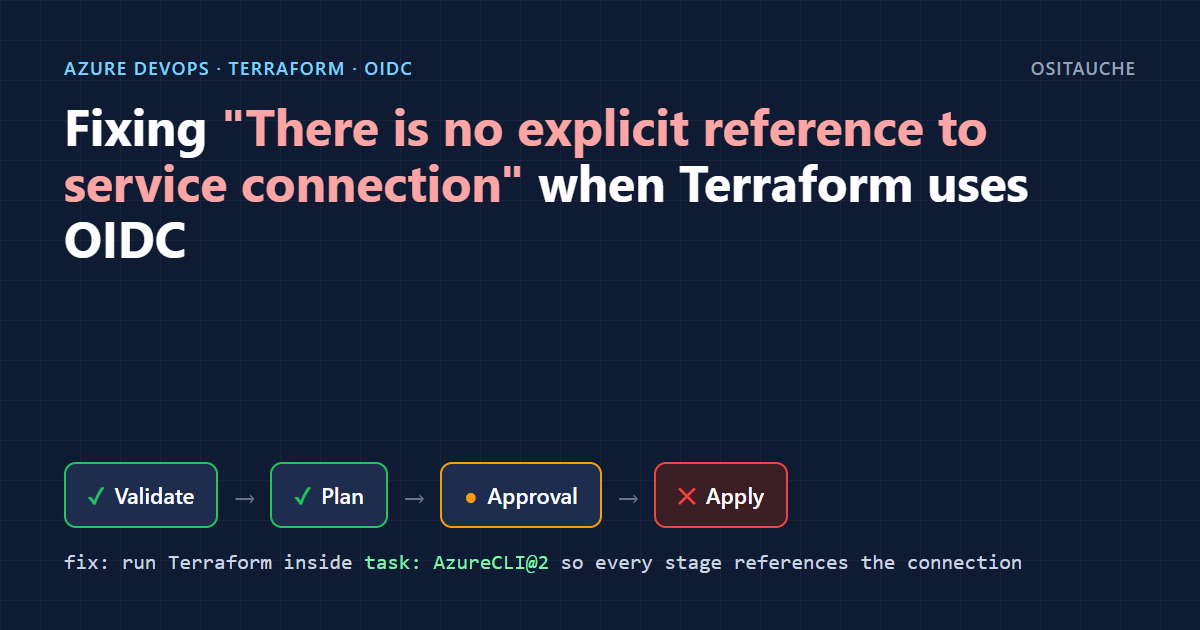
Summary: Azure DevOps only issues an OIDC token for a service connection to a stage that references that service connection in a task. If Terraform requests the token itself from a plain script: step, it works in any stage that happens to contain an AzureCLI@2 (or similar) task, and fails in any stage that doesn’t. Run the Terraform step inside AzureCLI@2 and every stage gets its token.
The setup
I was deploying an Azure OpenAI demo with Terraform from Azure DevOps, with no secrets anywhere:
- An Azure Resource Manager service connection using workload identity federation (no client secret).
- Terraform’s
azurermprovider and backend signing in through OIDC: they ask Azure DevOps for a token at runtime, exchange it with Entra ID, and refresh it themselves during long applies. - A pipeline with three stages: Validate → Plan → Apply, with a manual approval before Apply. Plan saves the plan file as an artifact; Apply applies exactly that file.
The Terraform step was a shared template, a plain script step with the OIDC settings passed as environment variables:
steps:
  - script: |
      set -euo pipefail
      terraform -chdir=infra init -input=false \
        -backend-config="resource_group_name=$(tfStateRg)" \
        -backend-config="storage_account_name=$(tfStateAccount)" \
        -backend-config="container_name=$(tfStateContainer)"
      ${{ parameters.script }}
    displayName: ${{ parameters.displayName }}
    env:
      ARM_USE_OIDC: "true"
      ARM_OIDC_REQUEST_TOKEN: $(System.AccessToken)
      ARM_OIDC_REQUEST_URL: $(System.OidcRequestUri)
      ARM_ADO_PIPELINE_SERVICE_CONNECTION_ID: $(serviceConnectionId)
      ARM_CLIENT_ID: $(armClientId)
      ARM_TENANT_ID: $(armTenantId)
      ARM_SUBSCRIPTION_ID: $(armSubscriptionId)
The backend uses Entra ID auth for the state storage account (use_azuread_auth = true), so even terraform init needs a token.
The symptom
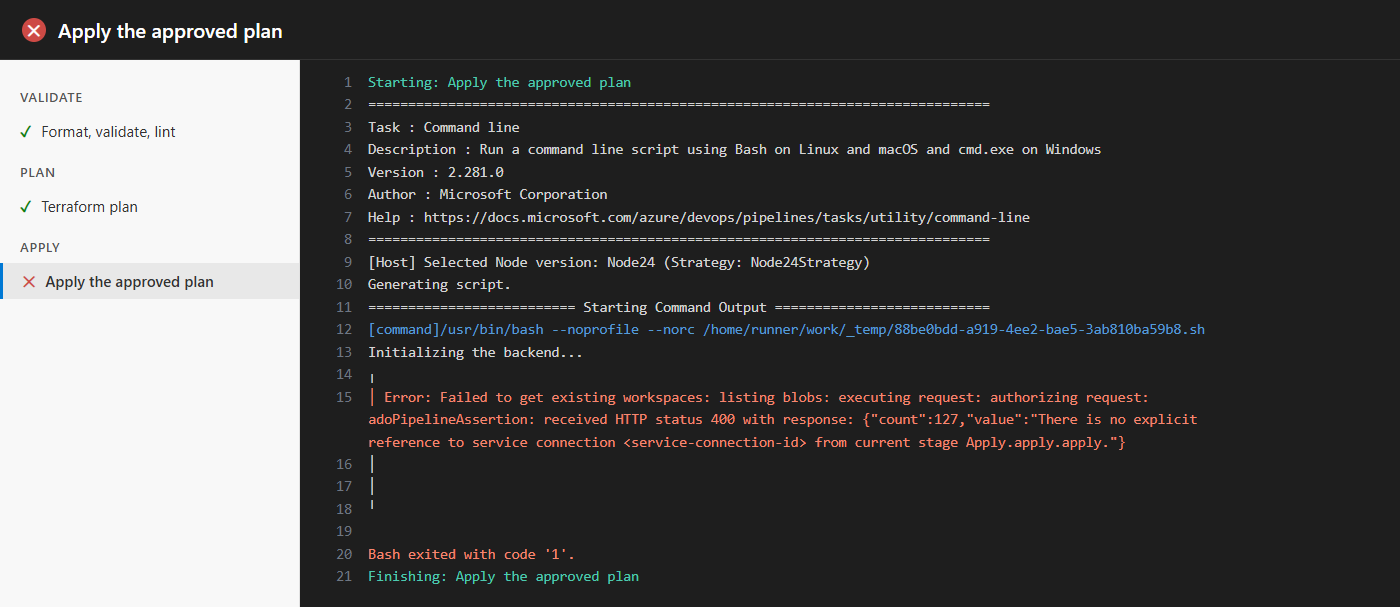
The Plan stage worked: init, plan, artifact published. I approved the run, and the Apply stage failed straight away in terraform init:
Error: Failed to get existing workspaces: listing blobs: executing request:
authorizing request: adoPipelineAssertion: received HTTP status 400 with response:
{"count":127,"value":"There is no explicit reference to service connection
<service-connection-id> from current stage Apply.apply.apply."}
Same template, same service connection, same variables. One stage worked and the next didn’t.
Why it happens
System.OidcRequestUri is the Azure DevOps endpoint that hands out ID tokens for a service connection. Before it issues one, Azure DevOps checks that the current stage explicitly references that service connection: one of its tasks names it in an input such as azureSubscription:. In other words, the connection has to be declared in the stage that uses it, not just mentioned somewhere in the pipeline.
Passing the connection’s ID in an environment variable (ARM_ADO_PIPELINE_SERVICE_CONNECTION_ID) tells Terraform which connection to ask for, but it doesn’t count as a reference. Only a task input does.
So why did Plan work? Because my Plan stage had an extra step before Terraform:
- task: AzureCLI@2
  displayName: Ensure an initial image exists
  inputs:
    azureSubscription: $(serviceConnectionName)
    ...
That task referenced the service connection, so the whole stage was allowed to request tokens for it, and Terraform’s own request succeeded by coincidence. The Apply stage only had checkout, artifact download and the Terraform script, so nothing referenced the connection, and the token request was refused.
The fix
Run the Terraform step inside an AzureCLI@2 task. The task references the service connection, which authorises the stage, and the script inside it still uses Terraform’s own OIDC settings:
steps:
  - task: AzureCLI@2
    displayName: ${{ parameters.displayName }}
    inputs:
      azureSubscription: $(serviceConnectionName)
      scriptType: bash
      scriptLocation: inlineScript
      inlineScript: |
        set -euo pipefail
        terraform -chdir=infra init -input=false \
          -backend-config="resource_group_name=$(tfStateRg)" \
          -backend-config="storage_account_name=$(tfStateAccount)" \
          -backend-config="container_name=$(tfStateContainer)"
        ${{ parameters.script }}
    env:
      ARM_USE_OIDC: "true"
      ARM_OIDC_REQUEST_TOKEN: $(System.AccessToken)
      ARM_OIDC_REQUEST_URL: $(System.OidcRequestUri)
      ARM_ADO_PIPELINE_SERVICE_CONNECTION_ID: $(serviceConnectionId)
      ARM_CLIENT_ID: $(armClientId)
      ARM_TENANT_ID: $(armTenantId)
      ARM_SUBSCRIPTION_ID: $(armSubscriptionId)
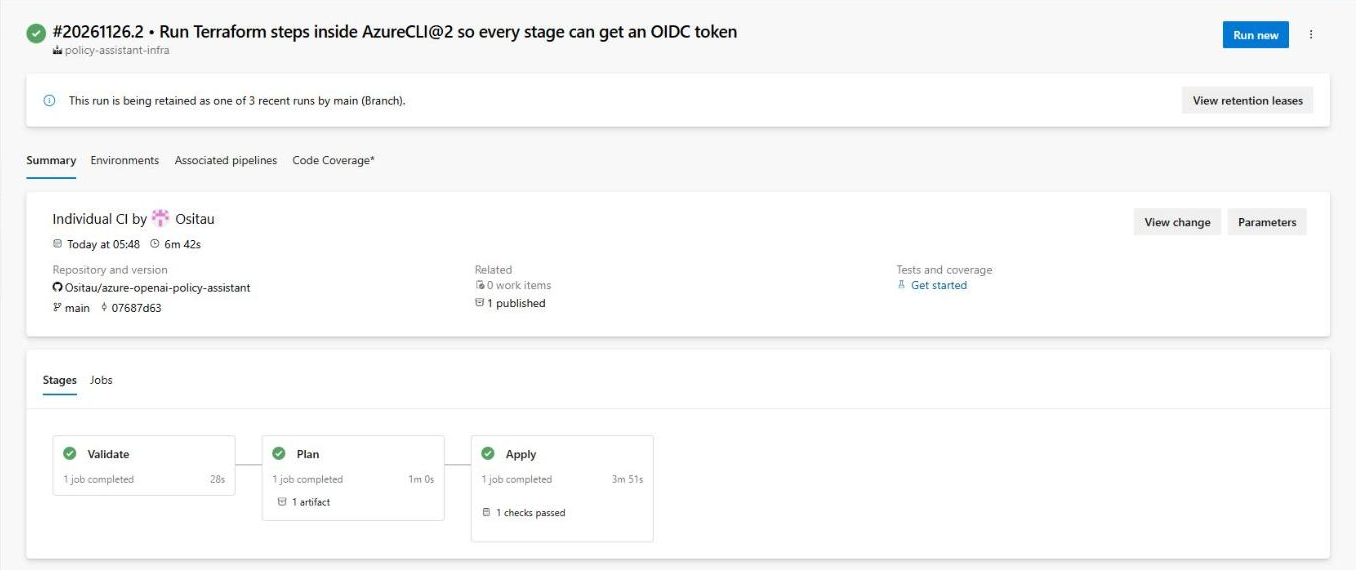
The only change is the wrapper: script: became task: AzureCLI@2 with azureSubscription: and the script moved into inlineScript:. The next run went Validate → Plan → approval → Apply with all 22 resources created.
Why not just use ARM_USE_CLI inside the task?
You could: AzureCLI@2 logs the Azure CLI in, and Terraform can borrow that session with ARM_USE_CLI=true. I kept OIDC because the provider then requests fresh tokens itself whenever it needs one. A CLI session signed in once at the start of the task can expire partway through a long run, and an apply that creates Azure OpenAI and a Container Apps environment can take a while.
Checklist if you hit this error
- Find the stage named in the error (
from current stage <Stage>.<job>.<step>). - Check whether any task in that stage has the service connection in an input (
azureSubscription:,connectedServiceNameARM:and so on). Environment variables and pipeline variables don’t count. - Wrap the step that needs the token in a task that references the connection (
AzureCLI@2is the simplest), or move it into a stage that already has one. - If the stage is a deployment job with an environment, remember the service connection may also need to be permitted for that pipeline the first time it runs.
What I learned
- With workload identity federation, “it works in one stage” doesn’t mean it works in all of them. Azure DevOps authorises token requests per stage.
- Make every stage that talks to Azure reference the service connection explicitly. It’s also clearer for whoever reads the pipeline next.
- Test the full pipeline, including the stage after the approval gate, before relying on it. My first run only failed after I had approved the plan.
The full project, including the pipeline templates and Terraform, is on GitHub: Ositau/azure-openai-policy-assistant.